Voxel Winter Survival Controls Guide
Move, look, build, and shop cleanly on PC, mobile, and console before the storm hits.
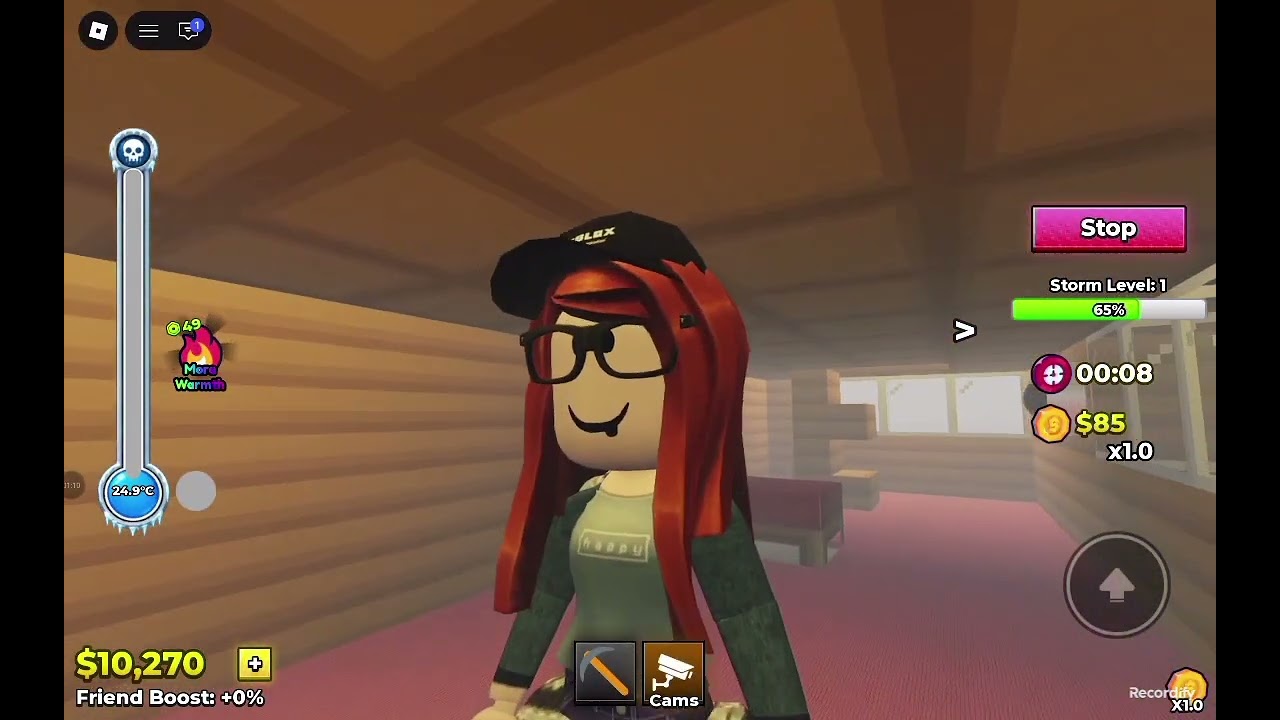
Fumbling inputs ends more Voxel Winter Survival runs than bad taste in architecture. You need to move, look, place blocks, seal gaps, and open the shop without fighting the device — especially after you start the snowstorm and every second enclosed is coins. This guide covers typical Roblox controls across PC, mobile, and console, then adds game-context habits for building and surviving on servers with up to five players.
For what to build, see Base Building. For when to start and how to endure, use Getting Started and Survive the Snowstorm. Spending after a good run is covered in Coins and Shop.
Platform note
Voxel Winter Survival runs inside Roblox on PC, mobile, and console. Exact keybinds can vary with your Roblox settings, platform overlays, and accessibility options. If something feels wrong, open Roblox settings and confirm movement, camera, and gesture options before you blame the experience. The habits below still apply: stable camera, deliberate placement, no panic sprinting through unfinished walls.
PC (keyboard and mouse)
Typical Roblox defaults most players use:
| Action | Common input |
|---|---|
| Move | W A S D |
| Jump | Space |
| Camera | Mouse move |
| Sprint / shift-lock style moves | Left Shift (depends on settings) |
| Primary action / place or click UI | Left mouse button |
| Rotate camera / alternate | Right mouse button |
| Zoom | Mouse wheel |
| Escape menus / leave prompts | Esc |
PC habits for this game
- Bind your attention to placement — before starting a storm, practice placing a full wall without spinning the camera wildly.
- Use shift-lock or a steady shoulder view if it helps you align blocks on edges and roofs.
- Keep the mouse free for UI when shopping between storms; do not start a purchase while your character is halfway outside.
- Click once, confirm, move — double-frantic clicks create misplaces that become storm leaks.
If you use a non-QWERTY layout, recheck movement keys in Roblox settings so mid-storm patches are muscle memory.
Mobile (touch)
Mobile is fully viable but punishes sloppy thumbs:
| Action | Common control |
|---|---|
| Move | Virtual left joystick |
| Look / turn | Drag on the right side of the screen |
| Jump | On-screen jump button |
| Interact / place | Tap / contextual buttons |
| Zoom | Pinch |
| Menus | Roblox and experience UI buttons |
Mobile habits for storms
- Increase touch sensitivity carefully — too high and roof placements drift; too low and you cannot snap to gaps.
- Wash your thumbs before a serious run — joke aside, grip slip causes more open roofs than you think.
- Hold a stable posture — sit down for long storms; standing one-hand play invites mis-taps on shop or place buttons.
- Use two thumbs with roles — left moves to the breach, right places. Avoid steering and placing with the same frantic finger.
- Leave chat macros alone mid-storm unless you are the designated caller in a five-player group.
When the UI feels crowded, close optional panels before you start the snowstorm so patch buttons stay hittable.
Console (controller via Roblox)
Controller layouts follow Roblox console conventions:
| Action | Common input |
|---|---|
| Move | Left stick |
| Look | Right stick |
| Jump | Bottom face button (often A / ✕) |
| Primary interact | Context-dependent face / trigger buttons |
| Menus | Options / menu button |
| UI navigation | D-pad / stick + confirm |
Console habits
- Lower look sensitivity slightly for building — precision on seams matters more than flick speed.
- Confirm UI focus before shopping — accidental back-outs while buying waste calm time between storms.
- Crouch your stick inputs near edges — tiny movements help place the last roof block instead of leaping off the build.
If your console Roblox client offers button remapping, prioritize comfortable jump and confirm so panic patches stay reliable.
Game-context controls: building under pressure
Regardless of device, successful Voxel Winter Survival players share the same input discipline:
- Pre-aim the weak face — stand where you can see the wall that usually fails before the storm starts.
- Place, then reorient — finish the block, then turn; do not spin while the place action is half-committed.
- Short movements — shuffle along the interior perimeter instead of sprinting loops that overshoot gaps.
- Shop only in calm — navigate the shop UI between storms with full attention; see Coins and Shop.
- Call before you cut — in co-op, announce if you are deleting or opening a wall so teammates do not start the storm on a broken shell.
Co-op input etiquette
On small servers (max five):
- Do not all open the shop UI in a doorway at once — someone should watch seals.
- If voice or chat is available, the patcher calls “hole left” / “hole roof” while others move.
- Avoid emote spam mid-storm; it steals button focus on some devices.
Accessibility and comfort
- Take breaks between long storm attempts — fatigue creates mis-clicks that cost coins.
- Raise UI scale if Roblox and your device allow it when shop text is hard to read.
- Colorblind or high-contrast OS options can make snowy scenes easier to parse; use whatever keeps gaps visible.
Practice routine (five minutes)
Before a serious grind session:
- Build a tiny 3×3 shell focusing only on clean corners.
- Delete one wall and reseal it as fast as you can without camera chaos.
- Open and close the shop UI once without moving your character into danger.
- Only then start a real snowstorm attempt.
That micro-warm-up prevents the first wipe of the night from being an input wipe.
Related guides
- Getting Started — full day-one loop.
- Survive the Snowstorm — what to do while enclosed.
- Base Building — where to place what you just aimed.
- Coins and Shop — spend after you can click calmly.
- Tier List Hub, Codes Hub, Updates Hub, Scripts, Players — meta, rewards, patches, extras.
Master the device, then master the blizzard. Clean inputs keep roofs closed — and closed roofs print coins.
Frequently Asked Questions
Quick answers for Voxel Winter Survival players.
Can I play Voxel Winter Survival on mobile?
Yes. It runs through Roblox on mobile. Use a stable two-thumb grip, reduce accidental UI taps, and practice placing walls before you start a serious snowstorm.
Where do I change keybinds?
Use Roblox settings on your platform. Experience-specific prompts may also appear in-game; confirm movement and camera options if controls feel off.
Why do I keep misplacing blocks during storms?
Slow down camera movement, pre-aim the weak wall before starting, and place with short shuffles instead of sprinting. Warm up with a tiny reseal drill.
Should I open the shop during the snowstorm?
Avoid it. Shop between storms so you do not leave enclosure or lose UI focus while survival time — and coins — are on the clock.
Do console players need different strategies?
The loop is the same. Lower look sensitivity for building, confirm UI focus when shopping, and keep stick movements small near edges and roofs.