Voxel Winter Survival Updates
Known Sept–Nov 2026 timeline, November 2026 marker deep-dive, and what to recheck after every patch.
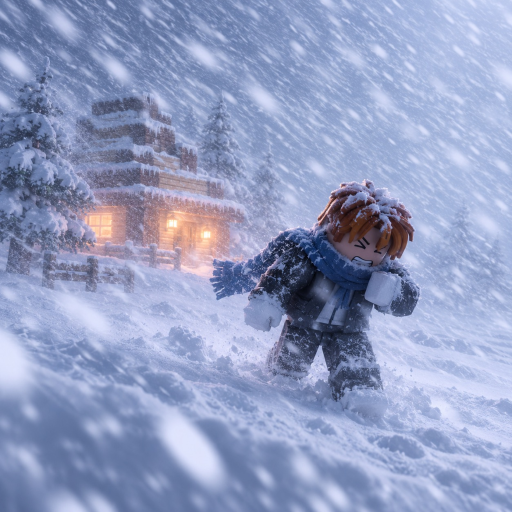
Stay current on Voxel Winter Survival updates with this hub. The Roblox survival builder from WinterSurvival! launched into a fast-growing season: players fortify voxel bases, start snowstorms, earn coins from survival time, then buy blocks to expand. Patches can tweak shop prices, block behavior, UI (including Codes buttons), and storm feel—so your tier list habits and base building routines need a quick retest after each drop.
Play the live place: Voxel Winter Survival (universe 10764702969). For the autumn stamp in detail, open November 2026 Update.
Known timeline (September–November 2026)
Dates below reflect publicly known milestones for this experience. Detail depth depends on what the group posts; we prioritize honesty over filler patch notes.
1 September 2026 — Release
Voxel Winter Survival goes live on Roblox. The pitch is clear from day one: build your base, start the snowstorm, survive longer for more coins, buy new blocks, expand. Early servers establish the 5-player social feel covered on the Players Hub. Beginners should still start with Getting Started even if they joined months later—the loop has not changed at a high level.
Late September 2026 — Gamepass wave
Store listings expand with permanent economy and comfort unlocks (x2 coins, warmth, build height, save slots, Netherite, Slime, Rainbow Pack, camera). Read value order on Gamepasses before spending Robux.
September–October 2026 — Growth season
Visit and favorite counts climb quickly as creators showcase sealed bunkers and longer storm timers. Expect iterative quality-of-life tweaks typical of new Roblox survival builders: placement feel, shop clarity, and onboarding. When you return after a break:
- Relearn controls if the HUD moved
- Validate your shell with a short storm (survive snowstorm)
- Recheck coin sinks in coins and shop
- Skim tips and common mistakes if wipes repeat
8 November 2026 — Notable update marker
Public listing data shows activity around 8 November 2026 as a fresh update point in the autumn season. Deep-dive checklist: November 2026 Update. Treat that stamp as a reminder to:
- Skim the WinterSurvival! group wall for shout notes
- Test whether Codes / Redeem UI moved (how to redeem)
- Re-price walls and roofs against the best blocks buy order
- Ask teammates if storm pressure or shop stock feels different
If the group publishes bullet patch notes, we fold specifics into the November child page and this hub. Until then, use the checklist below after every update you notice in-game.
How to track updates (best sources)
Priority order:
- WinterSurvival! community group — wall posts, shouts, and event callouts
- Roblox game page — description changes, thumbnails, and store tabs on the official place
- In-game banners / changelog UI — if the developers add one after a patch
- This Updates Hub + November 2026 — timeline + retest habits
- Trusted creators who link back to the group (not random code generator sites)
Enable group notifications on Roblox if you chase codes on drop day. Promo strings often appear beside update celebrations—never from password phishing sites. No public Discord or Trello for this Roblox title was verified at research time—see Links Hub.
Post-update retest checklist
Copy this between sessions:
- Join a fresh server; note any onboarding or HUD changes
- Place a compact sealed box; confirm snaps still seal
- Start a controlled snowstorm; compare timer comfort to last week
- Open the shop; note price or assortment changes
- Look for Codes / Redeem (codes)
- Update personal hotbar order (controls)
- Sync buy priorities with tier list roles
- Recheck owned gamepasses behavior
- Tell teammates on players lobbies what broke or improved
What updates usually change in this genre
Even without a full official changelog, survival builders commonly adjust:
- Economy: coin rewards per second survived, shop costs, starter kits
- Blocks: new pieces, retired meshes, collision fixes that close old gap tricks
- Storm rules: damage, duration, warnings, or start button placement
- UX: mobile tap targets, menu icons, redeem flows
- Anti-abuse: plot limits, placement rates, moderation hooks
That is why scripts break often and why this wiki refuses unverified loadstrings—the client surface moves under you.
Version habits for serious players
- Keep a “known good” compact shell design you can rebuild in minutes.
- After patches, beat your design once before expanding into a mega base.
- Bank a coin reserve instead of spending to zero the moment the shop refreshes.
- Watch for expired codes moving on the Codes Hub when celebrations end.
- Bookmark official links so you never land on impersonator groups.
Related pages
- November 2026 Update
- Getting Started
- Gamepasses
- Codes Hub
- Tier List Hub
- Players Hub
- Scripts Hub (status only—no fake executors)
- Official links
Release: 1 September 2026 · Tracked update marker: 8 November 2026 · Creator: WinterSurvival!
Check the group for anything newer—this hub stays aligned with public facts, not rumors.
Frequently Asked Questions
Quick answers for Voxel Winter Survival players.
When did Voxel Winter Survival release?
The experience released on 1 September 2026 on Roblox under the WinterSurvival! group.
When was the game last updated?
Public activity highlights an update marker around 8 November 2026. Always confirm the newest notes on the WinterSurvival! group wall and in-game.
Where should I watch for patch notes?
Follow the WinterSurvival! Roblox community group first, then the official game page, then this Updates Hub checklist.
What should I do after a patch?
Retest your sealed shell, recheck shop prices, look for a moved Codes button, and adjust your block buy order before expanding.
Do updates add new codes?
Sometimes developers drop promos with celebrations. Check the Codes Hub and group announcements—never random password sites.